The Evolving AI Tooling Landscape: From Copilots to Agentic Development
Over the past few years, AI tools for developers have changed dramatically.
At first, AI assistants were mainly used for code suggestions and autocomplete. They helped developers write code faster, but the overall development process still remained the same.
Now we are entering a new phase where AI tools are becoming active collaborators in software development.
In a recent Modern AI Pro session, an interesting perspective was shared:
The AI tooling ecosystem is now clearly divided between first-generation AI tools and modern agentic development systems.
Let’s explore this shift step by step.
Step 1: The First Generation of AI Coding Tools
When AI coding tools first appeared, they focused mainly on autocomplete features.
Tools like GitHub Copilot became extremely popular because they could:
• suggest lines of code
• complete functions
• speed up repetitive coding tasks
For many developers, this felt revolutionary.
But these tools had a limitation:
they mostly worked inside a single file and responded to short prompts.
In other words, they were smart autocomplete systems, not full development partners.
Step 2: The Rise of Modern AI Development Environments
Today, a new generation of tools is emerging.
Instead of just suggesting code, these tools try to understand entire projects.
Examples include:
• Cursor
• Kiro
These environments allow AI to interact with:
• multiple files
• documentation
• images
• system commands
This means developers are no longer asking AI for single-line suggestions, but for complex development tasks.
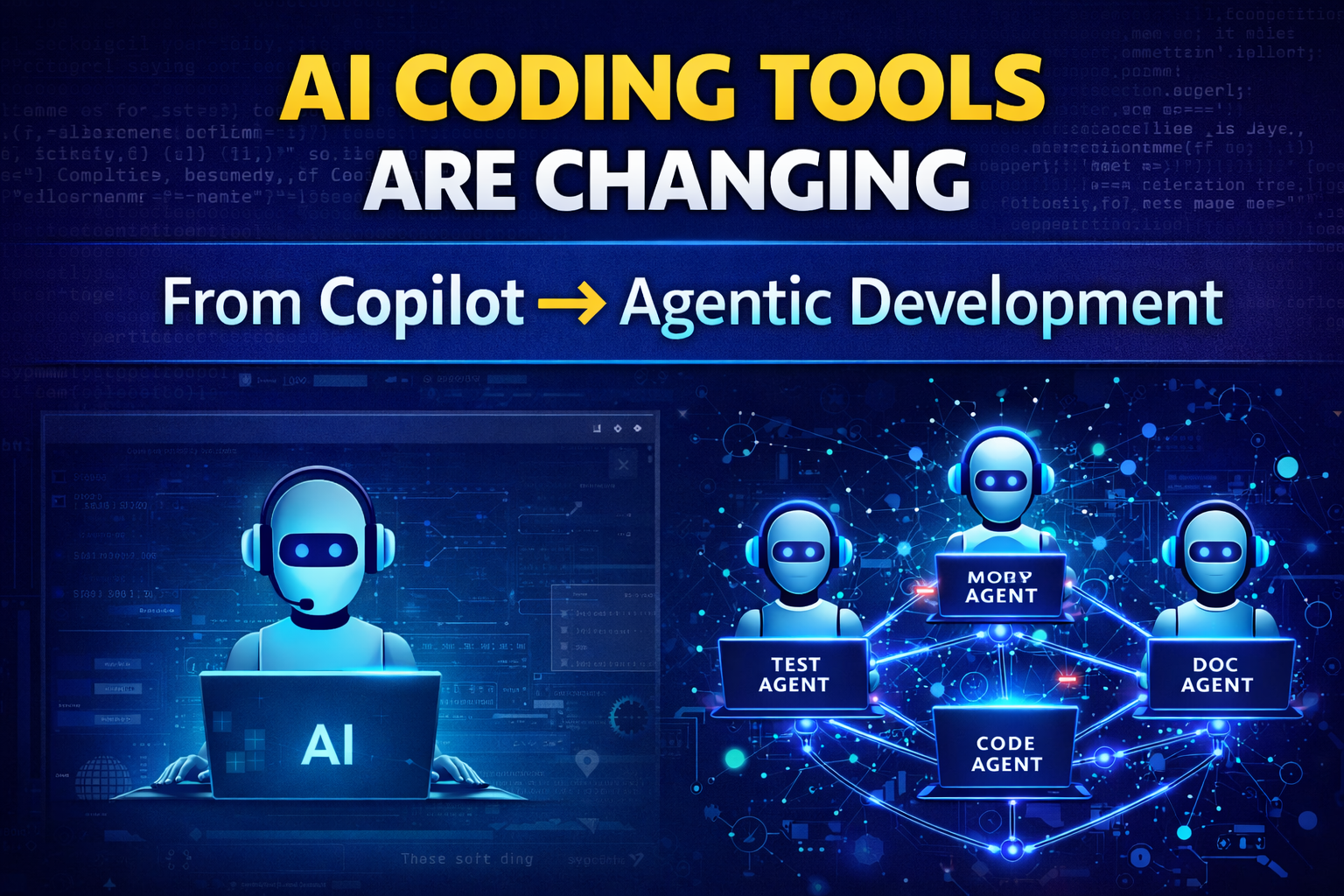
Diagram 1 — Evolution of AI Coding Tools
First Generation AI Tools

Developer
   |
   v
AI Autocomplete Tool
(GitHub Copilot)
   |
   v
Code Suggestion


Next Generation AI Tools

Developer
   |
   v
AI Coordinator
   |
   +-------------+--------------+-------------+
   |             |              |             |
Code Agent   Test Agent   Refactor Agent   Doc Agent
   |
   v
Full Project Update
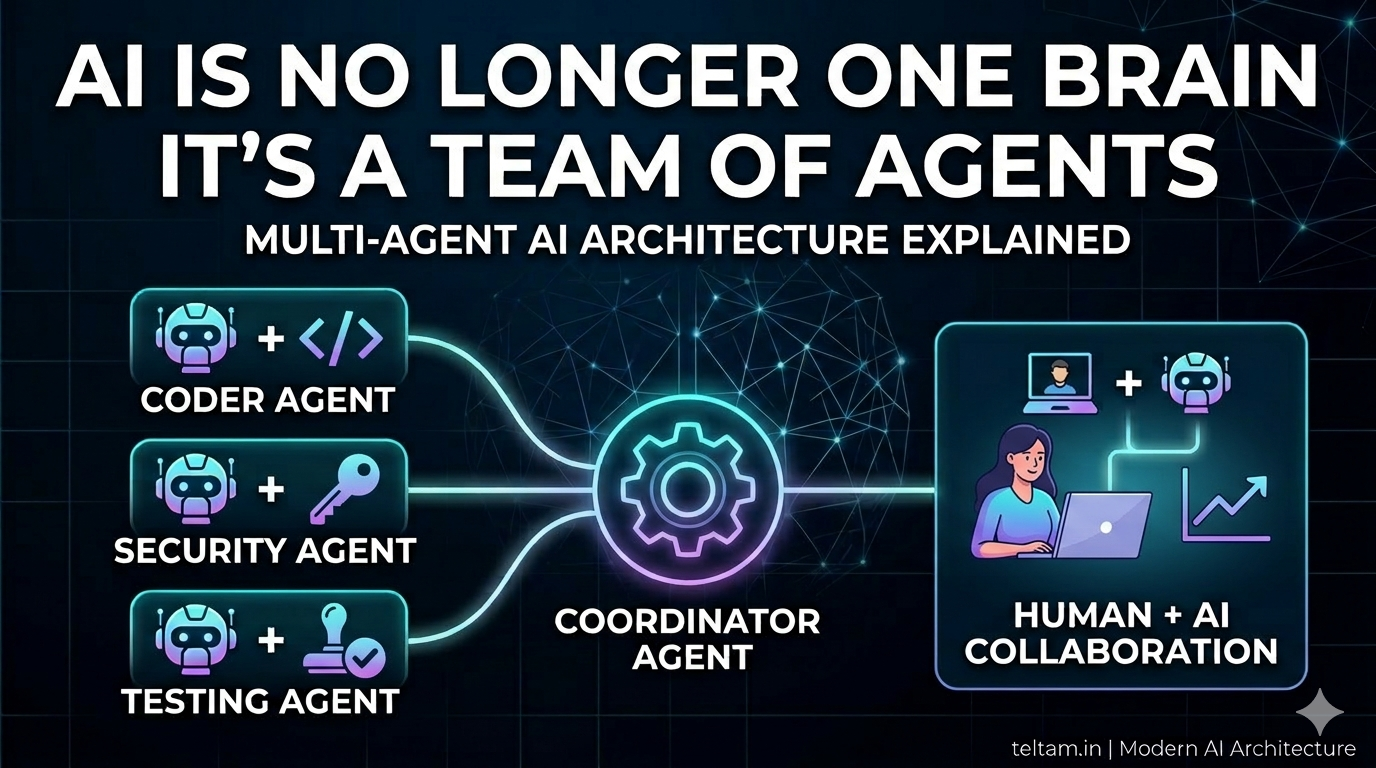
In this new model, AI behaves more like a team of specialized agents rather than a single assistant.
Step 3: The Surprising Return of the Terminal
One of the most interesting observations from the session was something called the Terminal Paradox.
For nearly 40 years, software development moved toward graphical user interfaces (GUIs) and sophisticated IDEs.
But now AI tools are pushing developers back toward the terminal.
Why?
Because agentic AI tools work more efficiently when they can directly:
• run commands
• read project files
• execute tests
• modify multiple files
• deploy code
Tools like Claude Code operate directly in the command line environment.
Without the heavy graphical layers of traditional IDEs, AI agents can move faster and automate more tasks.
Step 4: The “Ghajini” Memory Problem
Another fascinating topic discussed during the session was the memory limitation of AI systems.
The idea was humorously compared to the movie Ghajini, where the main character loses short-term memory.
AI models experience something similar.
Why AI Works Well for New Projects
AI is extremely good at building greenfield projects.
These are projects created from scratch.
In these situations AI can:
• design architecture
• generate large amounts of code
• create prototypes very quickly
AI can often produce a working Version 1 much faster than traditional teams.
Why AI Struggles With Existing Systems
However, AI often struggles when working with large legacy systems.
Human developers gradually build a deep understanding of the system.
They remember:
• why certain architectural decisions were made
• which modules depend on others
• what trade-offs were accepted in the past
AI systems, however, only see a limited snapshot of the codebase because of context window limits.
This sometimes leads to hallucinated solutions.
Diagram 2 — Human Memory vs AI Memory
Human Developer Memory

Experience
   |
Architecture Decisions
   |
Past Bugs
   |
System Dependencies
   |
Deep Mental Model


AI Memory

Code Snapshot
   |
Limited Context
   |
Temporary Memory Files
(JSON / Markdown)
   |
Partial Understanding
Because of this limitation, AI may sometimes suggest changes that break other parts of the system.
Step 5: The Changing Role of Developers
As AI tools become more powerful, the role of developers is also evolving.
Developers are slowly moving from pure coding roles to AI orchestration roles.
Instead of writing every line of code, engineers now focus on:
• defining architecture
• guiding AI agents
• reviewing generated code
• validating security and production safety
In many ways, developers are becoming AI supervisors and system designers.
Step 6: A New Operating Model for Engineering Teams
The rise of AI is also changing how engineering teams measure productivity.
Traditional software teams use metrics like:
• story points
• sprint velocity
• hours worked
But when AI agents are doing much of the coding, these metrics become less useful.
New AI-driven teams are experimenting with different metrics.
For example:
• Token consumption used by AI models
• Agent success rates in completing tasks
• deployment turnaround time
Some teams are even experimenting with micro-sprints lasting only a few hours instead of two weeks.
Step 7: Humans as “Pre-Flight Checkers”
Despite the growing capabilities of AI agents, humans remain essential.
Developers are now acting as pre-flight checkers.
Their responsibility is to ensure that AI-generated code does not:
• break authentication systems
• introduce security vulnerabilities
• corrupt production data
• violate compliance rules
AI can generate solutions quickly, but humans ensure that those solutions are safe and reliable.
Final Thoughts
The AI tooling landscape is undergoing a major transformation.
We are moving from:
Autocomplete tools → Agentic development systems
From:
Developers writing code → Developers orchestrating AI
And from:
Two-week development cycles → Micro-sprints lasting only hours.
The future of software development will not depend on how fast developers type code.
Instead, it will depend on how effectively humans collaborate with intelligent AI agents.