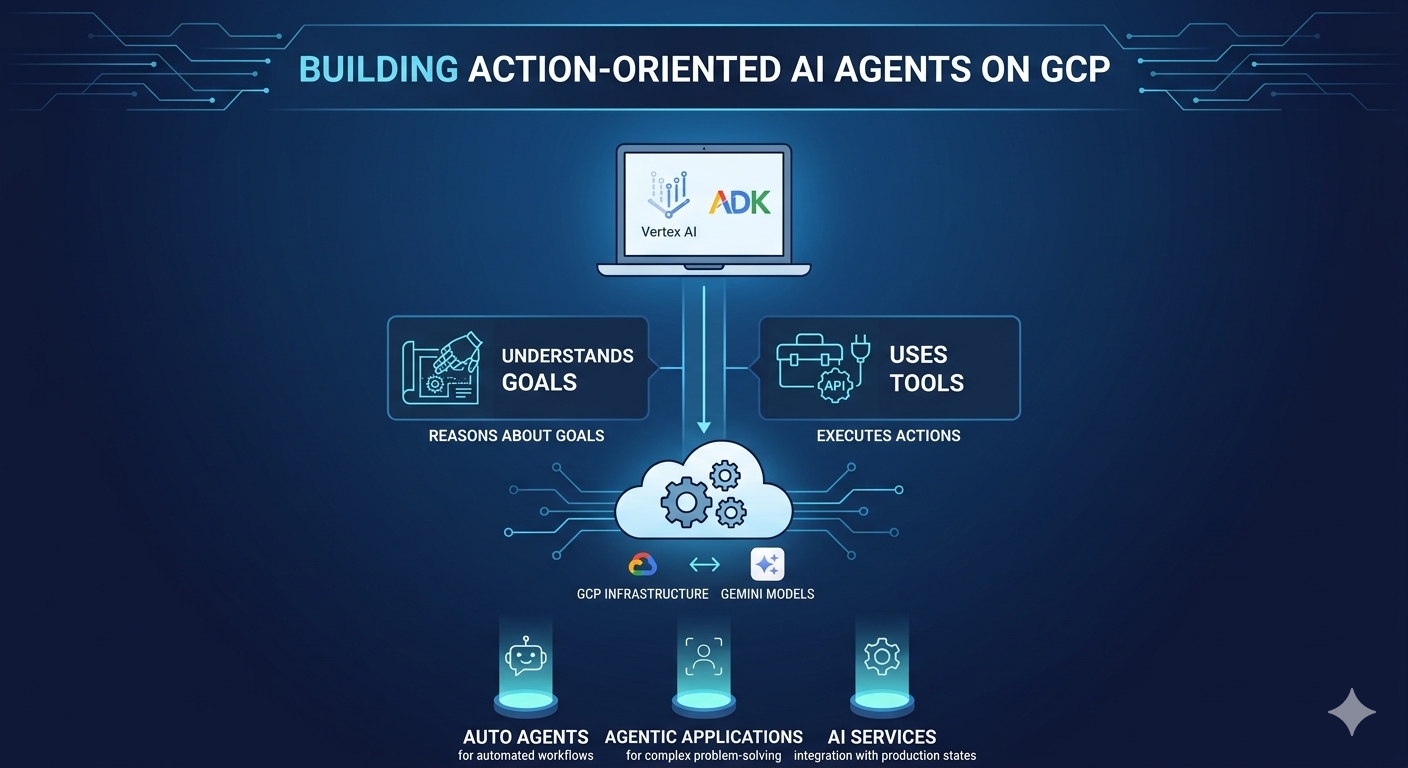
How to Build AI Agents in Google Cloud Using Vertex AI and ADK
AI is moving beyond simple question-and-answer systems. Modern AI agents can understand instructions, reason about tasks, use external tools, and take actions on behalf of users.
In this guide, we'll explore how to build AI agents using Google Cloud, Vertex AI, and the Agent Development Kit (ADK).
What Is an AI Agent?
An AI Agent is a software system that can understand instructions, reason about a goal, and take actions using tools or external services.
An AI agent can:
- Understand natural-language instructions.
- Think based on context, goals, and available information.
- Act by using tools, APIs, or other services.
- Learn and improve through interactions and feedback.
But how is an AI agent different from a traditional chatbot?
Chatbot vs. AI Agent
💬 Traditional Chatbot
Imagine you say:
"Book me a flight to Chennai tomorrow evening."
A basic chatbot might respond:
"Flights to Chennai are available."
It provides information, but doesn't necessarily perform the task.
🤖 AI Agent
An AI agent can take the request further:
- Understand the user's intent.
- Check available tools or APIs.
- Search for suitable flights.
- Evaluate available options.
- Take the required action.
- Respond with the result.
For example:
"Your Chennai flight is booked for tomorrow at 7:45 PM. The ticket has been sent to your email."
The Key Difference
Chatbot = Question & Answer
AI Agent = Question & Answer + Action Execution
Why Use Google Cloud and Vertex AI?
Building AI agents requires more than just an AI model. Developers also need infrastructure, models, APIs, tools, security, deployment, and monitoring.
Google Cloud provides an ecosystem for developing and deploying these applications.
Three important components are:
- Google Cloud Platform (GCP) – Cloud infrastructure and services.
- Vertex AI – Google's managed AI and machine learning platform.
- Agent Development Kit (ADK) – A framework for developing AI agents.
Together, they provide a platform for building and deploying sophisticated AI applications.
Vertex AI
Vertex AI is a managed machine learning and AI platform built on Google Cloud infrastructure.
It provides capabilities across the machine learning lifecycle and gives developers access to Google's AI models and services.
Key Benefits of Vertex AI
1. End-to-End MLOps
Vertex AI supports different stages of the machine learning lifecycle, including:
- Data preparation
- Model training
- Model evaluation
- Model deployment
- Model management
This helps data scientists, ML engineers, and developers work within a unified environment.
2. Support for Different Skill Levels
Vertex AI provides options for both beginners and experienced ML developers.
Developers can use AutoML for simplified model development, while experienced teams can use custom training with frameworks such as TensorFlow, PyTorch, and scikit-learn.
3. Pre-trained AI Models
Vertex AI provides access to Google's pre-trained AI models, including the Gemini family, which can be integrated into applications through APIs.
4. Managed Infrastructure
Google Cloud manages much of the underlying infrastructure, allowing development teams to focus more on building and improving their AI applications.
Agent Development Kit (ADK)
The Agent Development Kit (ADK) is an open-source framework designed to simplify the development of AI agents.
It allows developers to define an agent's:
- Instructions
- Goals
- Tools
- APIs
- Data sources
- Interaction behavior
Key Benefits of ADK
Simplified Agent Development
ADK provides a structured approach to building agents, reducing the amount of repetitive code developers need to write.
Tool and API Integration
Agents can be connected to external tools and APIs.
For example, an agent could:
- Search a product database.
- Book an appointment.
- Retrieve information.
- Analyze customer data.
- Call external services.
Local Development and Testing
Developers can test and debug agents during development before deploying them to production.
Deployment to Vertex AI
Once an agent is ready, it can be deployed to Google Cloud infrastructure and used in real-world applications.
Step-by-Step: Build an AI Agent
Let's look at a simplified development workflow.
Step 1: Set Up Your GCP Project
Create a new Google Cloud project or use an existing project.
You will need to configure billing and enable the required APIs for your AI application.
For example:
gcloud services enable aiplatform.googleapis.com
Additional APIs may be required depending on the services and architecture used by your application.
Step 2: Set Up the Local Environment
Set up your development environment with:
- Python
- Virtual environment
- Google Cloud SDK
- Agent Development Kit
The ADK package can be installed using:
pip install google-adk
You can also configure environment variables such as:
GOOGLE_CLOUD_PROJECT
GOOGLE_CLOUD_LOCATION
These values allow your application to identify the appropriate Google Cloud project and location.
Step 3: Create Your AI Agent
Once the environment is ready, define the agent and its instructions.
A simplified Python example looks like this:
from google.adk.agents import Agent

agent = Agent(
    name="MyAgent",
    model="gemini-2.5-flash",
    instruction="You help users with their questions."
)
The instruction tells the agent what it is expected to do.
You can later make the agent more powerful by adding tools, APIs, databases, and knowledge sources.
Step 4: Add Tools, Grounding, and Memory
A basic agent can answer questions, but connecting it to external resources can make it much more useful.
You can add capabilities such as:
- Search
- Database access
- Function calling
- External APIs
- Knowledge bases
- RAG
- Memory
For example, an AI customer-support agent could retrieve information from a company's knowledge base before responding to a customer.
Good context and reliable data are essential for building useful AI agents.
Step 5: Test Your Agent Locally
Before deploying your agent, test it in a development environment.
Check whether the agent:
- Understands user requests.
- Follows its instructions.
- Uses tools correctly.
- Produces useful responses.
- Handles unexpected inputs.
Testing allows developers to refine the agent's instructions and tools before production deployment.
Step 6: Deploy to Production
Once the agent is ready, it can be deployed to Google Cloud's managed environment.
The production environment can provide capabilities such as:
- Scaling
- Monitoring
- Managed endpoints
- Infrastructure management
The exact deployment process depends on the architecture and Google Cloud services used.
Step 7: Integrate the Agent
After deployment, the agent can be connected to an application or user interface.
For example:
AI Agent → REST API → Web Application
or
AI Agent → Mobile Application
or
AI Agent → Chat Interface
This allows users to interact with the agent through the application they already use.
Step 8: Monitor and Improve
Deployment is not the final step.
AI agents should be continuously monitored and improved.
Track important factors such as:
- Response quality
- Latency
- Accuracy
- Cost
- Errors
- User feedback
Use monitoring and evaluation tools to identify problems and improve the agent's instructions, tools, and overall behavior.
A Simple AI Agent Development Flow
The complete workflow can be summarized as:
GCP Project
↓
Set Up Vertex AI & ADK
↓
Create Agent
↓
Add Instructions
↓
Connect Tools / APIs / Knowledge
↓
Test Locally
↓
Deploy
↓
Integrate with Application
↓
Monitor & Improve
Tips for Building Better AI Agents
Start Small
Begin with a simple agent without complex tools. Once it works correctly, gradually add additional capabilities.
Choose the Right Model
Model selection affects response quality, speed, and cost. The appropriate model depends on your application's requirements.
Focus on Grounding and Context
Providing reliable knowledge and relevant context can help improve the quality of agent responses.
Configure Security Carefully
Use appropriate IAM roles, permissions, and service accounts when your agent needs access to APIs, databases, or other cloud resources.
Manage Costs
Generative AI applications can consume cloud resources and incur costs. Monitor usage, quotas, and unused resources.
Test Before Public Deployment
Start with a small group of users and collect feedback before making the agent widely available.
Final Thoughts
AI agents are changing how applications interact with users. Unlike traditional chatbots that primarily provide answers, agents can understand goals, use tools, make decisions, and perform actions.
With Google Cloud, Vertex AI, and ADK, developers have a powerful ecosystem for experimenting with and building agentic AI applications.
The best approach is to start simple, test continuously, add tools gradually, and improve the agent based on real-world feedback.
Build an agent. Give it the right tools. Let it take action.
Comments (0)
No comments yet. Be the first to share your thoughts!
Join the Conversation
Please log in to your Teltam account to post a comment on this article.
Log In to Comment