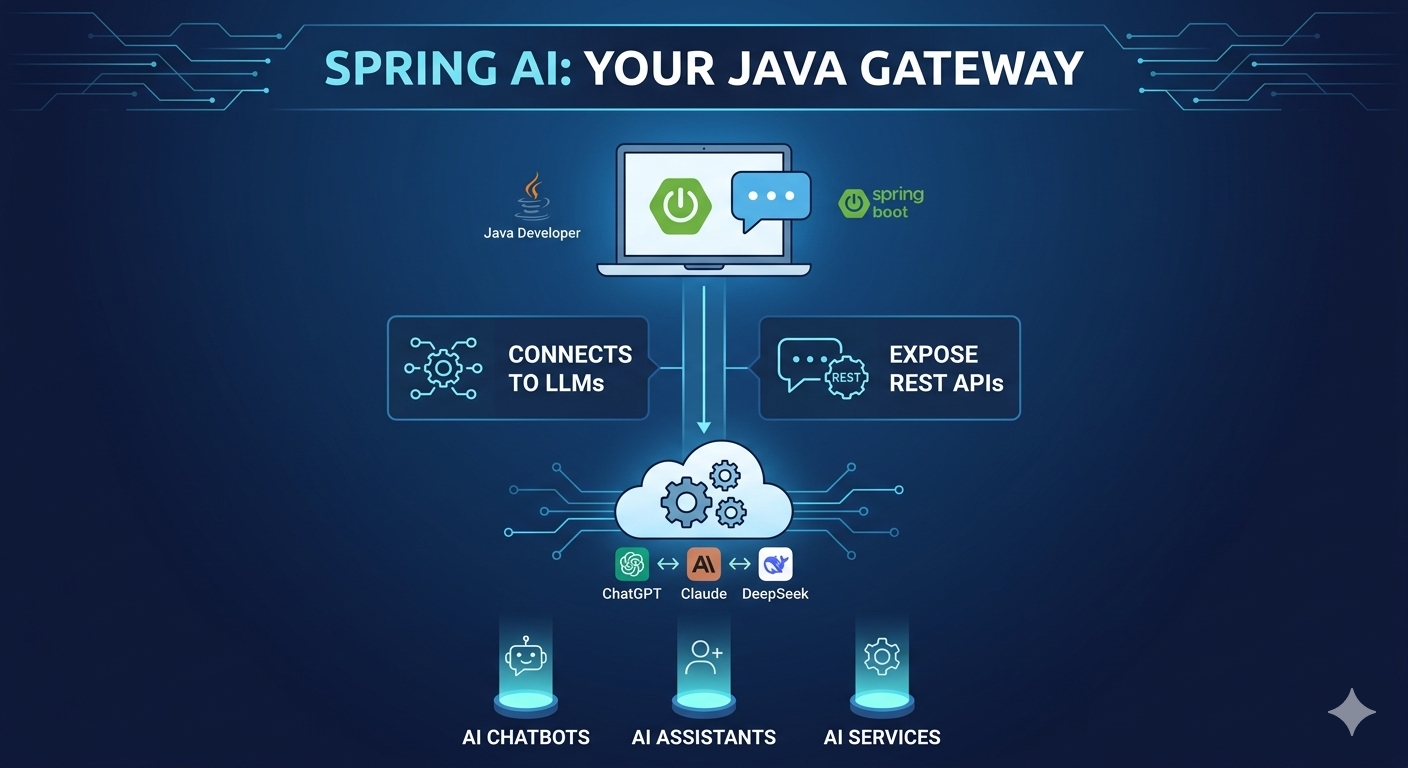
Getting Started with Spring AI
Artificial Intelligence is rapidly becoming part of modern software development. For Java developers, Spring AI provides a way to integrate AI capabilities into familiar Spring Boot applications.
In this introductory guide, we'll look at how a Java developer can start building an application that communicates with Large Language Models (LLMs) such as ChatGPT, Claude, and DeepSeek.
Why Spring AI?
If you're already working with Java and Spring Boot, you don't need to switch to a completely different technology stack to start exploring AI.
With Spring AI, you can build applications that communicate with AI models and expose your own functionality through REST APIs.
A simple architecture can look like this:
User → Spring Boot Application → Spring AI → LLM → Response
This makes it possible to create applications such as:
- AI-powered prompting applications
- Chat applications
- AI assistants
- Question-and-answer systems
- Custom AI APIs
Step 1: Create a Spring Boot Application
The first step is to create a standard Spring Boot application.
You can create the project in the typical Spring Boot way and then add the required Spring AI dependencies.
Spring AI provides integrations that make it easier for Spring Boot applications to communicate with AI models.
Step 2: Add the Spring AI Dependency
For OpenAI integration, the project can include the Spring AI OpenAI starter.
<dependency>
    <groupId>org.springframework.ai</groupId>
    <artifactId>spring-ai-openai-spring-boot-starter</artifactId>
</dependency>
The Spring AI BOM can also be used to manage compatible dependency versions:
<dependency>
    <groupId>org.springframework.ai</groupId>
    <artifactId>spring-ai-bom</artifactId>
    <version>1.0.0</version>
</dependency>
Note: The version shown above comes from the original article. Check the appropriate Spring AI documentation for the version that matches your project.
Step 3: Connect Your Application to an LLM
Once the Spring Boot application is created and the required dependencies are added, the next step is connecting the application to an LLM.
The original guide focuses on models such as:
- ChatGPT
- Claude
- DeepSeek
The exact configuration depends on the model provider and the integration being used.
Step 4: Configure the API Key
For OpenAI/ChatGPT, an API key needs to be generated and configured so that the Spring Boot application can communicate with the service.
The API key should be kept secure and should not be hard-coded directly into your source code.
For other LLM providers, the authentication and deployment method can differ.
Build Your Own Prompting Application
Once the Spring AI integration is configured, you can extend your Spring Boot application to create your own prompting application.
For example:
User enters a prompt → REST API receives the prompt → Spring AI sends it to the LLM → AI response is returned
This approach allows Java developers to combine the power of LLMs with the familiar Spring Boot ecosystem.
What You Can Build with Spring AI
With this foundation, developers can explore applications such as:
- AI Chatbots
- Prompting Applications
- AI Assistants
- REST-based AI Services
- LLM-powered Java Applications
The possibilities increase as you combine Spring AI with databases, web applications, authentication, and other Spring technologies.
What's Next?
This blog provides an introduction to Spring AI and LLM integration from a Java developer's perspective.
The next step is to explore the actual configuration and implementation in more detail, including how to connect the application to an LLM and create REST API endpoints for sending prompts and receiving responses.
More details and implementation steps can be covered in the next blog.
Conclusion
Spring AI makes it easier for Java developers to enter the world of Generative AI without leaving the Spring Boot ecosystem.
By combining Java, Spring Boot, Spring AI, REST APIs, and LLMs, developers can start building practical AI-powered applications using technologies they already know.
If you're a Java developer interested in AI, Spring AI is a great place to begin exploring LLM-powered application development.
Comments (0)
No comments yet. Be the first to share your thoughts!
Join the Conversation
Please log in to your Teltam account to post a comment on this article.
Log In to Comment